Zero-Lag 1080p
2026 Neon Edition
Interactive System SandboxTRY BEFORE YOU BUY
Zero setup required • Interactive browser demo
⚡ Fully functional starter edition. Upgrade to the complete commercial suite on Gumroad for 100% features.
System Overview & Engineering Architecture
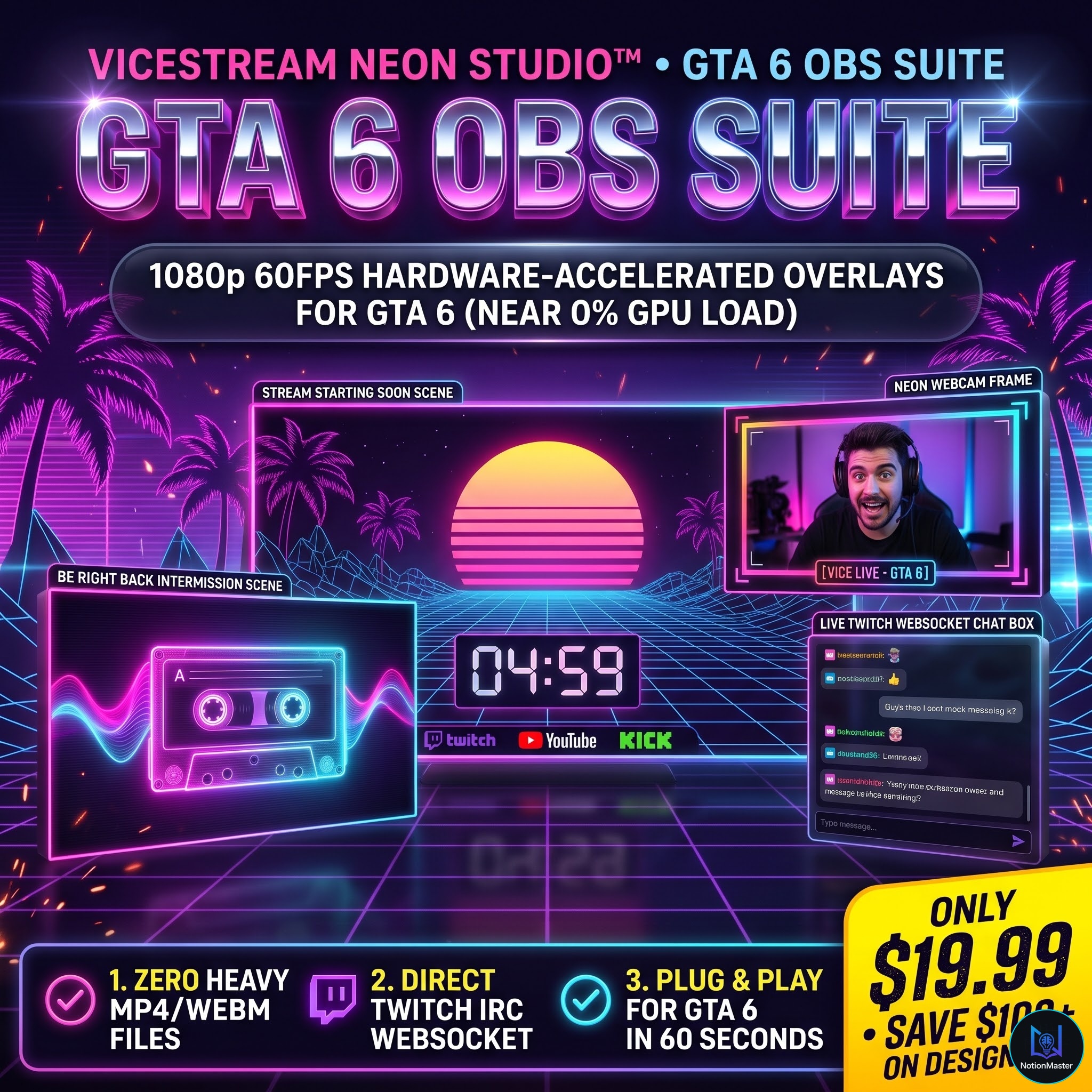
Elevate your stream to professional esports broadcast quality. ViceStream Neon Studio delivers GPU-accelerated HTML5/CSS3 browser sources with authentic 80s Miami Cyberpunk aesthetic and zero CPU lag.
✓Runs locally via OBS Browser Source — zero subscription fees or third-party cloud watermarks
✓Live Twitch IRC WebSocket integration displays viewer chat messages in a glassmorphic neon box
✓Pure CSS animations consume less than 1% CPU while gaming at high frame rates
✓Easily customize social handles (@yourchannel) and countdown duration in standard Notepad
Verified Deliverables Manifest
6 Verified Files- 11080p Stream Starting Scene (stream-starting.html) with 5-minute timer & social ticker
- 21080p Be Right Back Intermission Scene (be-right-back.html) with animated cassette spools
- 316:9 Animated Dual-Tone Neon Webcam Border (overlays/webcam-border.html)
- 4Transparent Live Twitch Chat Overlay (overlays/chat-box.html) with WebSocket auto-connect
- 5Step-by-step OBS Studio 60-Second Setup Guide (00-USER-QUICKSTART-GUIDE.html)
- 6Single Broadcaster Commercial License for all personal streaming channels
Frequently Asked Questions (Technical & Licensing)
Q: Does this overlay slow down my game FPS?
A: No. Unlike heavy video loops, our overlays use hardware-accelerated CSS transforms that consume negligible GPU and less than 1% CPU.
Q: How does the chat overlay connect to Twitch?
A: Simply add ?channel=yourusername to the Browser Source URL in OBS. It connects directly via Twitch IRC WebSocket with zero bot setup.
OBS Studio SuiteSYSTEM #15
ViceStream Neon Studio™
Hardware-Accelerated 1080p Cyber Neon OBS Broadcast Overlays & Scenes
4.5 / 5.0(18 verified developer reviews)
$19.99USD$59
One-time payment · Perpetual commercial rights
✓Exit Code 0 Compiler Verification
✓Unlimited Personal & Client Projects
✓Zero Injected Telemetry or Trackers
Production Tech Stack
HTML5 & CSS3 GPU AcceleratedTwitch IRC WebSocket ClientOBS Studio Browser Source1080p Fullscreen Scenes16:9 Responsive Webcam Frame
Prerequisites & Environment
›OBS Studio, Streamlabs Desktop, or vMix
›Browser Source support with Hardware Acceleration enabled